Issue #90: Duo submissions are open, a February certificate deadline, and #if for deployment targets
Xcode 27.1 RC landed Monday, and App Store Connect is taking iPhone Duo builds now, 17 days before the device ships. This week covers what to upload and when, the new App Store asset tools that went live the same day, a Developer ID deadline that will break Mac installers on February 1, Apple's warning about Full Disk Access, a Swift proposal that finally lets packages branch on deployment target, and a few SwiftUI details that explain why your layout moved. 📱🗓️
iPhone Duo: Submissions Are Open (Xcode 27.1 RC)
Xcode 27.1 RC (27A9275) shipped October 5, and App Store Connect now accepts apps built with it. If you've been testing against the beta, rebuild with the RC and submit, because review needs to clear before October 23 for your update to be live when people unbox the phone. The RC release notes still list the same Mac Catalyst known issues as the beta, so keep your 27.1-only code behind #if !targetEnvironment(macCatalyst).
Apple also posted iPhone Duo screenshot sizes:
Inner display:  2007 x 2853  (portrait)   2853 x 2007  (landscape)
Outer display:  1398 x 2034  (portrait)   2034 x 1398  (landscape)
They're optional today. That changes in the spring: "Starting April 2027, any apps or games submitted will need to include screenshots for iPhone Duo." That's the same month the iOS 27 SDK becomes mandatory for uploads, so plan one pass that covers both.
The new preview tool in App Store Connect shows how your screenshots and product page will look on the Duo before you submit, which is worth checking given the inner display's nearly square shape.

Prepare and submit your apps for iPhone Duo Build with Xcode 27.1, prepare your App Store assets, and submit before iPhone Duo arrives on October 23. Apple Developer News
App Store: Headers, Search Assets, and an Asset Library (live now)
Back in #87 we mentioned new product page headers and search result assets, with the preview tool listed as "coming soon." As of October 5 it's all live. Product page headers take custom images or video. Search result assets let you promote seasonal content or a new feature right in search. The preview tool shows your page in Dark Mode, across devices and orientations, and in search results.
The useful new piece is the Asset Library in App Store Connect. You can upload creative assets, screenshots, and previews ahead of time, get them approved, and switch them on later. If you run a holiday campaign, submit the artwork in November and flip it on in December without waiting on review.


Showcase your apps with new assets on the App Store New creative assets, a preview tool, and an Asset Library for managing them in App Store Connect. Apple Developer News
Mac: Your Developer ID Certificate May Stop Working on February 1 (deadline)
If you ship Mac software outside the App Store, check this today. The original Developer ID Certification Authority expires February 1, 2027, and certificates it issued stop working with it.
What breaks depends on what you ship. Installer packages are the urgent case: starting February 1, a .pkg signed with an affected certificate "will not install." You need to re-sign every package you distribute. Mac apps that were signed and notarized with a secure timestamp keep working, so existing downloads are fine, but any new build needs the new certificate.
To fix it, open Certificates, Identifiers & Profiles, find any Developer ID certificate expiring on or before February 1, and create a replacement from the Developer ID Certification Authority (G2). Apple calls out one trap: when asked for the intermediary, pick the G2 Sub-CA. Choosing the other option can hand you a fresh certificate that still expires in 2027. G2 certificates expire every year, so put a renewal reminder on your calendar while you're at it.


Upcoming expiration of Developer ID Certification Authority The original Developer ID Sub-CA expires February 1, 2027. Create new certificates from the G2 authority and re-sign your installer packages. Apple Developer News
Mac: Full Disk Access Is Getting Stricter (no details yet)
On October 2 Apple said it will add controls so that granting Full Disk Access takes "very explicit user action," citing apps that misuse it and AI agents that are getting more capable. There's no macOS version, no date, and no technical detail yet.
Michael Tsai rounded up the reaction, and his list of what's already wrong with Full Disk Access is the useful part: apps can't check whether they have it, can't request it through an API, and can't ask for only the data they need. Ben Lovejoy warned against repeating the screen recording prompts from macOS Sequoia, and Ben Thompson pointed out that headless Macs running agents have no one there to click a prompt.
If your Mac app depends on Full Disk Access, write down today exactly which files you read and why. When Apple publishes the new flow, you'll want an onboarding screen that explains it in one sentence.
 Michael J. Tsai
Unspecified Full Disk Access Screw Tightening Developer reaction to Apple's Full Disk Access announcement, and what's missing from it. Michael Tsai - Blog
Swift Evolution: Branch on Deployment Target at Compile Time (SE-0554, in review)
Over the last two issues we wrapped iOS 27 APIs in #available checks. That works for calling a function, but it doesn't help when you want to use a new type in a stored property or a package's public API. #available is a runtime check, and the type has to compile everywhere. SE-0554 proposes a compile-time check instead:
#if deploymentTargetAtLeast(macOS 15, iOS 18, *)
// Use Mutex, InlineArray, UInt128 directly
#else
// Fallback for older deployment targets
#endif
The target audience is package authors. As one reviewer put it, "Every type newly introduced to Swift is practically unusable in existing packages" that support older OS versions. With this check, a package can use Mutex when its deployment target allows it and fall back otherwise, without custom build flags.
The thread is still arguing about the name (deploymentTarget(atLeast:) and minDeploymentTarget() both have fans), and whether an #if sdk check would cover more cases. Prototype toolchains support the anyAppleOS shorthand. Review runs through October 12, so if you maintain a package, now's the time to weigh in.
 xwu
xwu
SE-0554: Deployment target conditional compilation A compile-time check for the deployment target, so packages can adopt new types without separate build flags. Swift Forums
Xcode MCP: When Your Agent's Preview Lies to It (Xcode 27)
The Preview rendering tool in Xcode's MCP server lets an agent look at the SwiftUI it just wrote. Xu Yang spent time running it in a real workflow and found two problems worth knowing before you rely on it.
First, you can't pick a device. #Preview ignores .previewDevice, so if you need a specific device you're back to the deprecated PreviewProvider API. Second, and worse, previews can go stale with no error. In his words, "the view code has clearly changed, yet the Preview rendering tool still returns the old image." He saw it 20 to 40 percent of the time in Swift packages. His workaround is to embed a fingerprint, like the type name, in the preview so the agent can confirm the render matches the code it just changed.
He also hit host process crashes during hot replacement, indexing errors from single-line #Preview statements, and new files that headless mode didn't pick up.
 Fatbobman
Letting AI See SwiftUI: Xcode Preview MCP in Practice "Once you switch to the rendering tool provided by Xcode MCP, you'll find there's simply no way to specify the rendering device." Fatbobman's Blog · Xu Yang
Concurrency: Load a Screen in Steps With AsyncSequence (iOS 17+)
A health dashboard that fires 40 requests with async let and waits for all of them shows a spinner until the slowest one finishes. Majid Jabrayilov wraps the loading in an AsyncSequence instead, where each step fills in one part of the snapshot and yields it, so the screen fills in as data arrives:
mutating func next() async -> MetricsSnapshot? {
    switch steps.next() {
    case .heartPoints:
        snapshot.heartPoints = await fetchHeartPoints(inside: interval)
    case .workouts:
        snapshot.workouts = await fetchWorkouts(inside: interval)
    // ...
    default:
        return nil
    }

    return Task.isCancelled ? nil : snapshot
}
The view model just loops over it:
func fetch(inside interval: DateInterval) async {
    let metricsSequence = MetricsSequence(health: health, interval: interval)

    for await metrics in metricsSequence {
        self.metrics = metrics
    }
}
You choose the order of the steps, so put the cards at the top of the screen first. Each step can still use async let internally for the requests it needs, and the Task.isCancelled check ends the sequence when the user leaves the screen.
 Majid Jabrayilov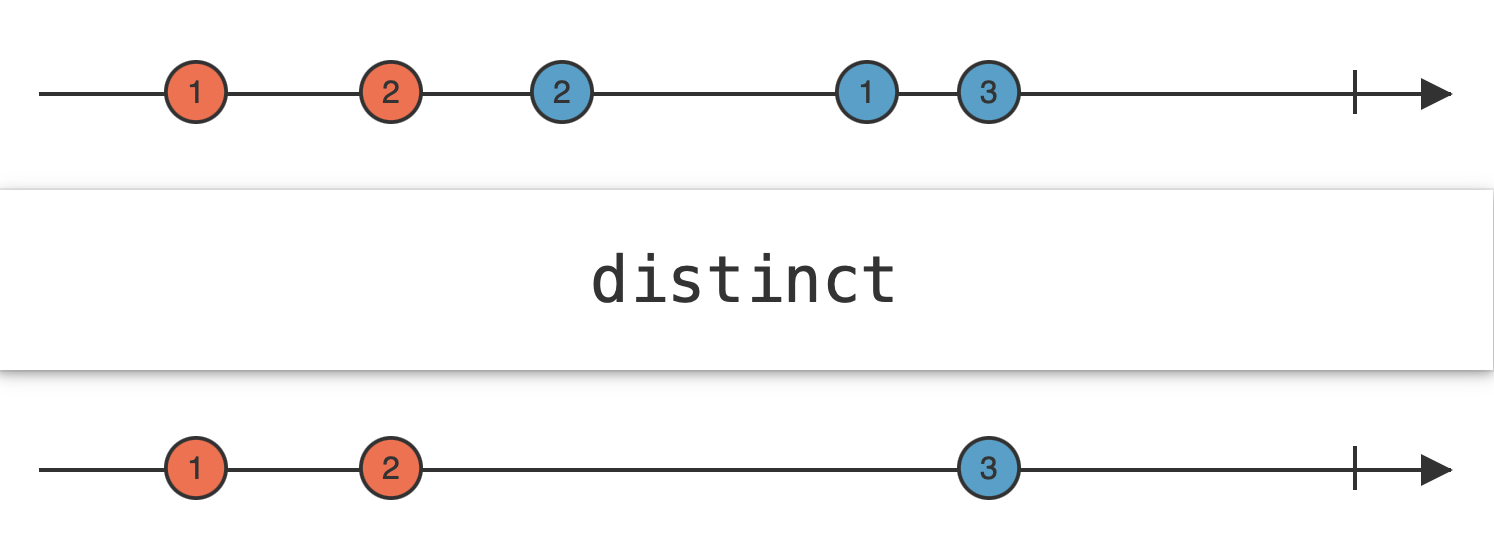
Iterative data loading in Swift "Running dozens of asynchronous requests at once might look like the simplest solution, but it doesn't necessarily provide the best user experience." Swift with Majid · Majid Jabrayilov
SwiftUI: Line Height and the Wandering Title (iOS 26+)
Two short ones from Sarun Wongpatcharapakorn that explain layout changes people have been filing as bugs.
iOS 26 added a lineHeight modifier for Text that sets the distance from one baseline to the next, with seven options from .tight (1.0x the point size) to .loose (1.5x), plus .exact(points:), .multiple(factor:), and .leading(increase:):
swift
Text("Line height is the distance from one baseline to the next one.")
    .font(.system(size: 20))
    .lineHeight(.exact(points: 36))
The catch is that "all the extra space goes under the line," so a taller line height pushes the first line's baseline away from an icon you aligned it with.
The second one: if your inline navigation title slides to the left on some screens, that's by design. "An inline title is centered only when it fits between the leading and trailing items." Add a couple of trailing buttons, or a German translation, and it moves. Put secondary actions in a menu and keep titles short on pushed screens.
 Sarun Wongpatcharapakorn
How to change line height in SwiftUI iOS 26's lineHeight modifier, its seven options, and how the extra space is distributed. Sarunw · Sarun Wongpatcharapakorn
Why the navigation title moves to the left in iOS 26 Inline titles center only when space allows, and toolbar items push them aside. Sarunw · Sarun Wongpatcharapakorn
Quick Hits
John Sundell shows Using Swift's 'some' keyword beyond SwiftUI, from some Sequence<Video> parameters to returning some Operation<Data> without type erasure. Natalia Panferova covers Presenting SwiftUI sheets on iPhone Duo, including presentationPlacement(.trailing) for keeping a sheet on one side. Google released a server-side Swift SDK for Google Cloud, now generally available and covering more than 100 services. Lex Friedman argues the App Store review process needs fixing with a trusted developer program, and the comments push back hard. And Jordan Morgan explains how Elite Hoops got to 10k MRR in the most boring way possible.
What to Do This Week
Rebuild with Xcode 27.1 RC and submit your Duo update so it clears review before October 23. Open the App Store Connect preview tool and look at your product page on the Duo, then make inner and outer display screenshots before April makes them mandatory. If you ship Mac software outside the App Store, check your Developer ID certificates today, create G2 replacements, and re-sign every .pkg before February 1. If you maintain a Swift package, read SE-0554 and comment before October 12. And if your agent checks its work with Xcode previews, add a fingerprint to the preview so you know the image is current.
✌️ Alright, that's it for today! Let's spread the good code vibes ✨🧘☀️
Member discussion