Issue #85: Xcode goes headless, iOS 27 leaves foldable fingerprints, and adaptive layouts for real this time
Welcome to issue #85! Lots going on in this edition! Xcode 27 shipped a headless MCP server this week, and "open Xcode to ship iOS" just lost its first real challenger. In the same beta cycle, iOS 27 beta 7 keeps leaking foldState and angleDegrees strings that read like they were written for hardware nobody's announced yet. Both stories are pushing you toward the same habit: stop assuming a fixed IDE window and a fixed screen size. This issue covers the headless build-run-test loop, what the foldable clues mean for your layout code, and two SwiftUI patterns worth adopting now.
Xcode 27: A Headless MCP Server (Xcode 27+)
"Quit Xcode. We're getting started." That's the vibe of xcrun mcp-server, Xcode 27's new headless service. Enable it once, then let any MCP-speaking agent build, run, and test against the Simulator without ever opening the IDE:
sudo xcrun mcp-server enable
xcrun mcp-server start
Permissions are scoped per folder and per agent by default, though there's an escape hatch if you want to skip the prompts:
xcrun mcp-server start --unsafe-always-allow-all-agentsArtem walked through the whole loop: an agent generates a multiplatform SwiftUI project, builds the UI, renders preview states as PNGs, then drives the accessibility hierarchy on an iPhone 17 Pro simulator to verify the result, all without an Xcode window in sight. Where this goes in 12 months is worth watching.
Headless Xcode: From Prompt to Simulator with MCP "After the initial setup, Claude created the project, generated the app with Apple's skills, rendered four preview states, and verified the complete flow on the simulator without opening Xcode."
 Artem Novichkov
iOS 27: The Foldable Clues Keep Piling Up (iOS 27 beta 7)
Beta 7 landed on Monday, and the strings buried in CoreMotion are getting harder to explain away. foldState and angleDegrees weren't in iOS 26 at all. They read the hinge angle and detect whether a device is folded, full stop. Pair that with a new MobileGestalt key that reports a device's total built-in display count, and the picture gets clearer.
Here's what actually matters for your code. Apps compiled against the iOS 27 SDK get resizability by default, Xcode ships a resizable Simulator for testing arbitrary screen dimensions, and Apple's guidance is explicit: target "a dynamic range of sizes and aspect ratios," not fixed device specs. When testers resized iPhone Mirroring windows running iOS 27 apps, several interfaces switched to iPad-style layouts automatically, with zero code changes. If you're still hardcoding size classes, now's the time to stop.
Apple Left Foldable iPhone Clues Throughout iOS 27 Breakdown of the CoreMotion strings, the new MobileGestalt display-count key, and what automatic iPad-style adaptation in resized windows implies about the hardware.
 Shalom Levytam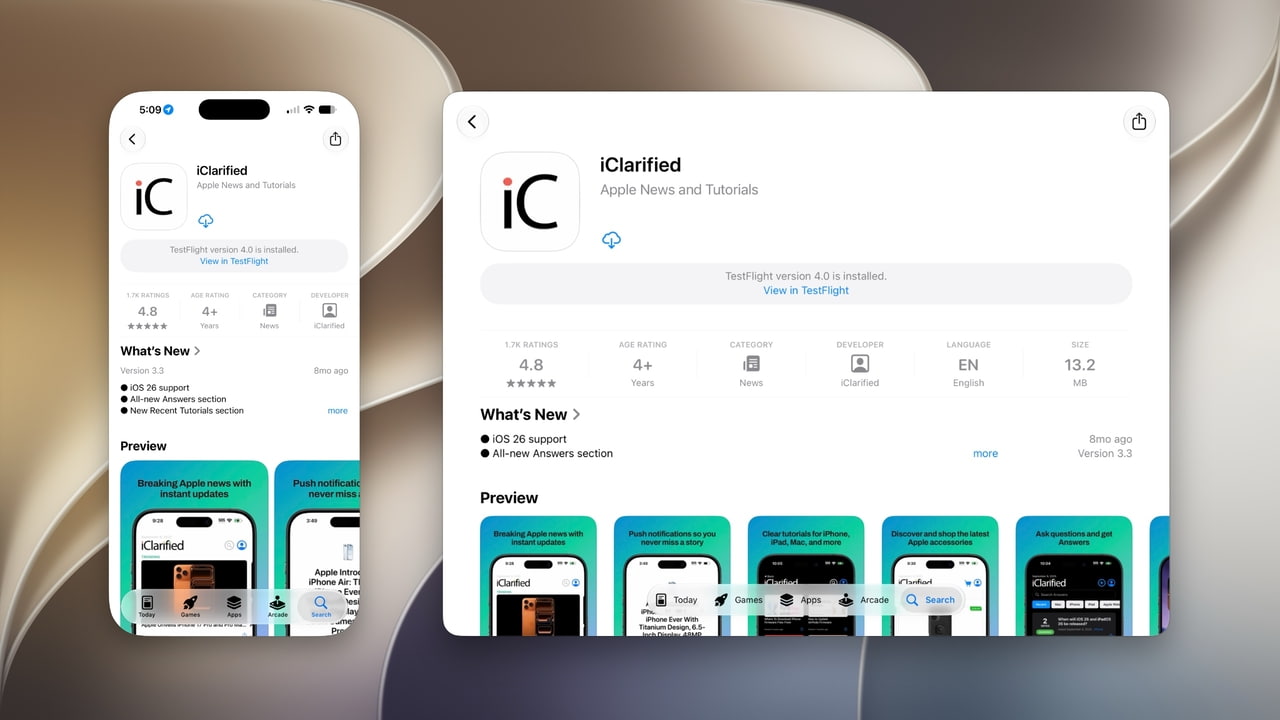
SwiftUI: Adaptive Layouts with containerRelativeFrame() (iOS 17+)
If "stop hardcoding size classes" sounds good in theory, containerRelativeFrame() is where to start in practice. Instead of fixed pixel widths, size views relative to whatever container actually holds them:
ScrollView(.horizontal) {
    LazyHStack(spacing: spacing) {
        ForEach(hourForecasts) { forecast in
            HourForecastCard(forecast: forecast)
                .containerRelativeFrame(
                    .horizontal,
                    count: 3,
                    span: 2,
                    spacing: spacing
                )
        }
    }
}
SwiftUI walks up to the nearest supported container, a window, a navigation or tab container, or a scroll view, and derives the available space from there, safe-area insets and all. That's the kind of layout that survives a window resize, a Split View, or a hinge angle changing under it.
Building adaptive SwiftUI layouts with containerRelativeFrame() "SwiftUI finds the nearest supported container, such as a window, navigation or tab container, or scroll view, and uses the space it provides after accounting for safe-area insets."
 Natalia Panferova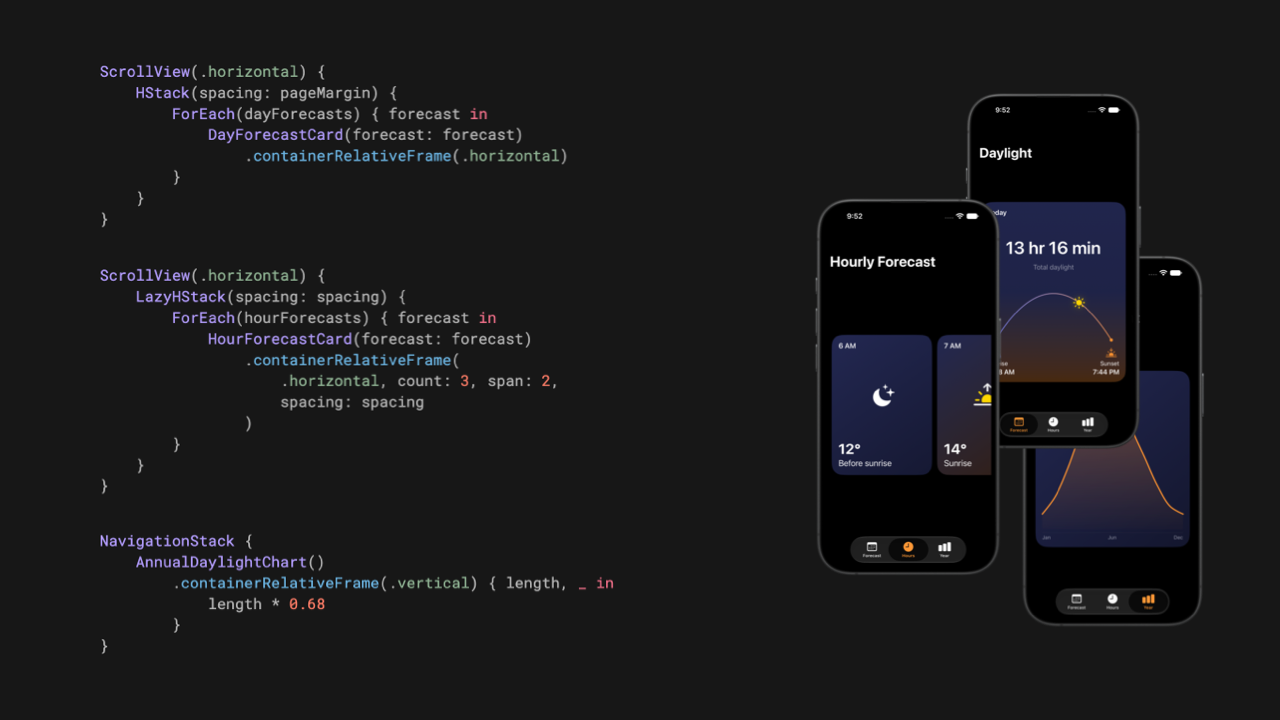
SwiftUI: Data Dependencies and View Updates (iOS 17+)
Still on an ObservableObject and wondering why the smallest property change repaints half your view tree? @Observable tracks dependencies at the property level, not the object level:
@Observable
final class BirdModel {
    var name: String
    var sightingCount = 0
}

struct BirdDetailsView: View {
    let bird: BirdModel
    var body: some View {
        Text("Bird: \(bird.name)")
    }
}
BirdDetailsView only reads name, so mutating sightingCount elsewhere in the app never triggers a redraw here. Each property read establishes its own dependency, which is a real efficiency gain over the old publish-on-any-change behavior of ObservableObject.
SwiftUI data dependencies and their effect on view updates "Each read establishes a dependency on that property rather than on the model as a whole. Changing a property reevaluates the views that depend on it, while views that only read other properties on the same model remain unchanged."
 Natalia Panferova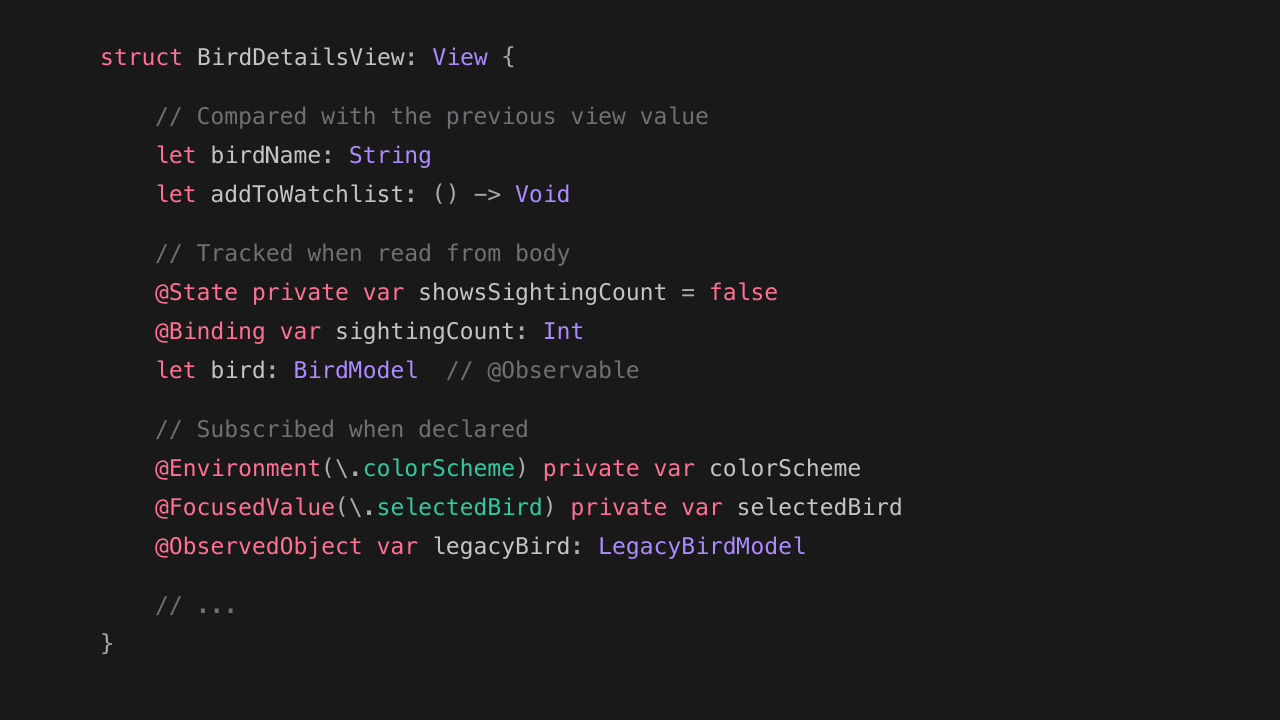
Xcode 27: Export Apple's Own Agent Skills
This one pairs well with the headless MCP server above. Xcode 27 ships seven built-in Agent Skills: SwiftUI Specialist, What's New in SwiftUI, UIKit App Modernization, Test Modernizer, C Bounds Safety, Security Settings Audit, and Device Interaction. You can export them straight into your repo:
xcrun agent skills export ~/.agents/skillsThat generates Markdown instruction sets any Agent-Skills-compatible tool can pick up. Knowledge-focused skills (SwiftUI patterns, deprecated APIs) transfer cleanly between agents; tool-dependent ones like Device Interaction need matching integrations on the other end. Either way, it's Apple codifying its own best practices in a format your coding agent can actually read.
The Xcode 27 Agent Skills A rundown of all seven skills, what each one covers, and how to export and wire them up outside Xcode.
 Livsy
Livsy
✌️
Alright, that's it for today! Let's spread the good code vibes ✨🧘🌈☀️
iOS 27 beta 7 landed Monday, and with September here, the GM build can't be far behind. Budget review time for the resizable-layout changes above before it ships. Come share your thoughts in the comment section on the website.
Member discussion