Issue #89: A code reviewer for your agent, Siri reads your screen, and Swift's cancellation shield
iOS 27.0.1 and Xcode 27.2 beta 2 both landed Monday. The point release fixes a Face ID restart on iPhone 18 Pro and nothing that touches your code, so this week is mostly about everything else: a new tool that gives your coding agent a real SwiftUI reviewer, what it takes to make your app readable by the new Siri AI, a Swift 6.4 API for cleanup that has to finish, a newly accepted proposal that fixes an old init annoyance, and what Apple actually said in the iPhone Duo Group Labs. 🚀🧹
Sponsored by Runway
Your users are on iOS 27.0.1, your testers are on the 27.2 beta, and in a few weeks someone will file the first bug from an iPhone Duo. That's three OS versions reporting problems at once, from TestFlight, App Store reviews, and crash logs. Runway is back this week with a tool for keeping all of it in one place.
How many app issues fell off your radar this week?

Mobile teams deal with a firehose of incoming issues: regressions from QA, beta feedback, App Store reviews, crashes, etc. AI code makes managing this even harder. Triage by Runway pulls every issue into one inbox, de-dupes, assigns, and tracks fixes so nothing is missed. See how it works.
Xcode 27.2 Beta 2: Code Coverage for Agents and a Few Traps (Xcode 27.2 beta 2)
Xcode 27.2 beta 2 (27B5028f) shipped September 28, and TestFlight took builds made with it the same day. The one new feature is for agents: a GetCodeCoverage MCP tool "that reports code coverage from the most recent test result, optionally filtered by target or file." If you already let an agent write tests through the Xcode MCP server, it can now check what those tests actually hit instead of guessing.
Device Hub got a round of fixes. Keyboard and mouse input works again for simulators older than iOS 18, iOS 17 simulators accept input at all, and a connected device no longer stops taking touches after sitting idle.
The known issues are the part to read before you plan your week:
- VoiceOver, the Accessibility Inspector, and other accessibility tools "cannot convey screen content on an iPhone Duo within Device Hub." If Duo accessibility testing was on your list, it has to wait for a later beta or real hardware.
- Screenshots and recordings from the Duo simulator can come out black for a few minutes after it boots.
- Device > Simulate Memory Warning does nothing.
- A simulator runtime you reinstall after deleting it can still show as unavailable. Apple's workaround:
killall -9 com.apple.CoreSimulator.CoreSimulatorServiceXcode 27.2 Beta 2 Release Notes Update your apps to use new features, and test your apps against API changes. Apple Developer Documentation


SwiftFairy: A SwiftUI Reviewer for Your Coding Agent (macOS 26+, Apple silicon)
Agent skills are text the model has to read and then remember. By the time your agent is 40,000 tokens into a refactor, the rule about stable IDs in ForEach is a long way back in its context. Natalia Panferova and Matthaus Woolard built SwiftFairy to take that job off the model. It's a Mac app that runs a local MCP server, and when your agent asks for a review it runs static analysis over the code and returns findings pinned to specific lines.
The checks are grouped into what they call Scrolls: Proper SwiftUI, Performant Swift Charts, and Modern Swift. They catch structural patterns like views built outside body, unstable model IDs, and a ForEach that emits a variable number of views per element. Each finding comes with a description and an example fix, so the agent has something concrete to act on. Because the checks are deterministic, you get the same answer on the same code every time, and the agent spends fewer tokens re-reading guidance.
It needs macOS 26 or later on Apple silicon, and there's a free 24-hour trial with no card required.
Introducing SwiftFairy: Swift and SwiftUI code reviews for coding agents "SwiftFairy then uses static analysis to match patterns in the code that have known or potential issues, and flags them to your agent along with a description and examples of how to fix each issue." Nil Coalescing · Natalia Panferova
 Matthaus Woolard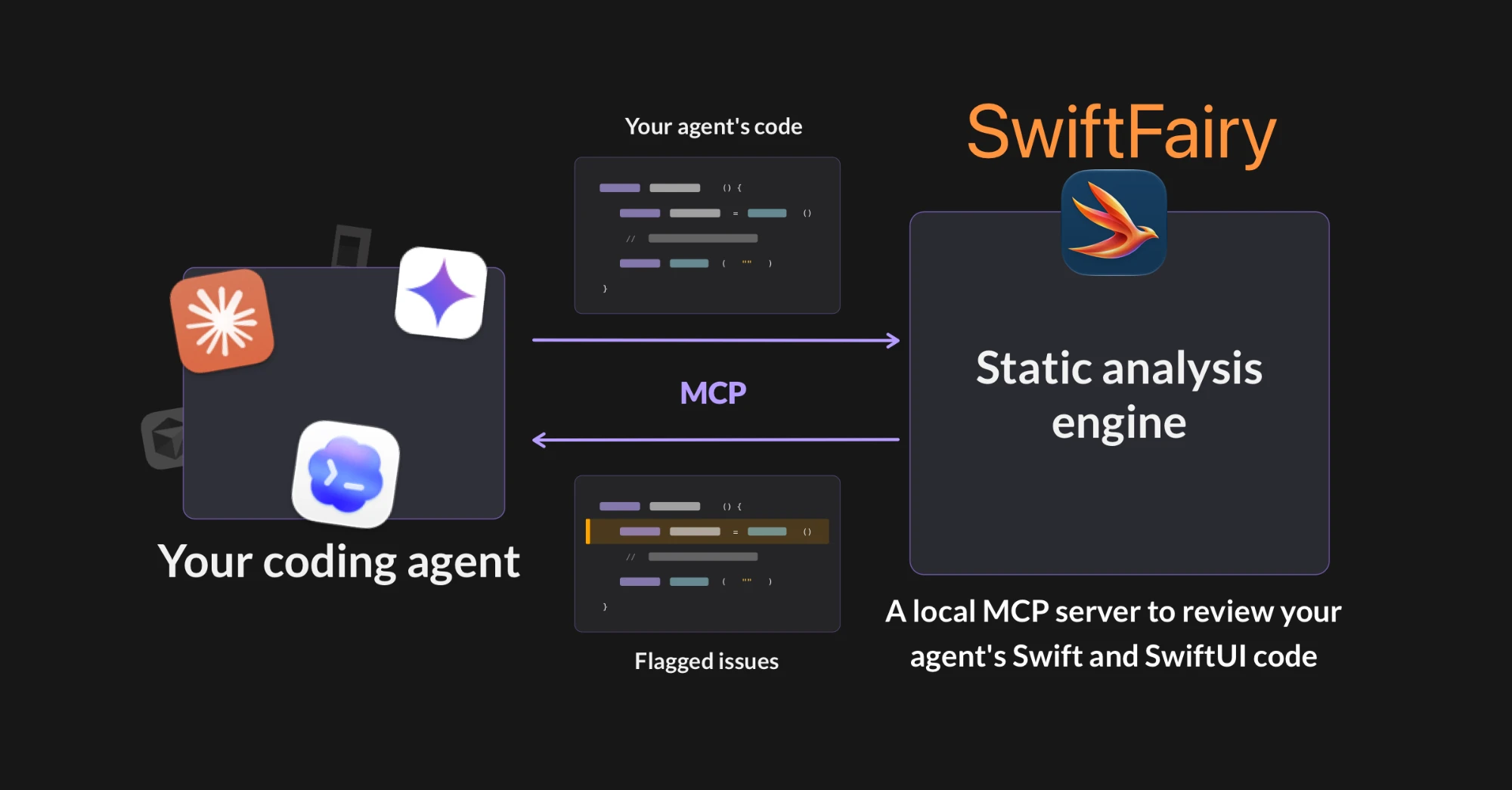
App Intents: Make Your Screen Readable by Siri AI (iOS 26+ APIs, Siri AI in iOS 27 beta)
Siri AI is now shipping on iOS 27, still labeled beta, and the feature people are trying first is onscreen awareness: "add these games to my calendar" while looking at a schedule. Siri can only act on what's in your app if you tell it which App Entity each view represents. Sarun Wongpatcharapakorn wrote a two-part guide covering both directions.
For a detail screen with one main item, attach the entity to an NSUserActivity:
MessageDetailView(message: message)
    .userActivity(
        "com.example.messages.viewMessage",
        element: message
    ) { message, activity in
        activity.title = "View message"
        activity.appEntityIdentifier = EntityIdentifier(
            for: MessageEntity.self,
            identifier: message.id
        )
    }
For a list where several items are visible, annotate each row instead:
List {
    ForEach(messages) { message in
        MessageRow(message: message)
            .appEntityIdentifier(
                EntityIdentifier(
                    for: MessageEntity.self,
                    identifier: message.id
                )
            )
    }
}
Part 2 covers the other direction, letting other apps act on your entities. You make the entity Transferable and describe what you hand over with IntentValueRepresentation:
extension ContactEntity: Transferable {
    static var transferRepresentation: some TransferRepresentation {
        IntentValueRepresentation(exporting: \.person)
    }
}
If you haven't built App Entities yet, this is the week to start. Without them, Siri AI sees your app as a black box.
Build Siri experiences across apps, Part 1: Onscreen Awareness "NSUserActivity annotations for a single primary item, view annotations when several items matter at once."
Build Siri experiences across apps, Part 2: Content Transfer Enable other apps to act on your App Entities using Transferable and IntentValueRepresentation
 Sarun Wongpatcharapakorn
Swift 6.4: Cleanup That Survives Cancellation (Swift 6.4, iOS 27+)
A cancelled task that tries to flush a file or roll back a transaction in its defer can hit a try Task.checkCancellation() inside that cleanup and bail halfway. SE-0504 adds withTaskCancellationShield, which makes the code inside it see Task.isCancelled as false until the block ends:
defer {
    withTaskCancellationShield {
        resource.cleanup()
    }
}
The task is still cancelled. Once the block exits, isCancelled reads true again. Child tasks you start inside the shield don't inherit the outer cancellation, and cancellation handlers registered inside it wait until the shield ends to fire. One detail to watch: the instance property task.isCancelled ignores the shield and reports the real state, while the static Task.isCancelled respects it.
Keep shields for cleanup: closing handles, releasing locks, finishing a write. Shielding a download just makes the user wait after they've hit cancel.
Now the catch. The API ships as @available(anyAppleOS 27.0, *), so it needs the iOS 27 runtime, not only the Swift 6.4 compiler. If you still support iOS 26, put it behind an availability check. At least one open source package had to ship a fix last week after calling it unguarded in nine cleanup paths while declaring macOS 26 and iOS 26 support. Wrap it:
defer {
    if #available(anyAppleOS 27.0, *) {
        withTaskCancellationShield { resource.cleanup() }
    } else {
        resource.cleanup()
    }
}
SE-0504: Task Cancellation Shields "Even though a task remains cancelled, shielded code observes isCancelled as false within the shield block." Swift Evolution
 swiftlang
Swift Evolution: Public Memberwise Inits in Extensions (accepted, not yet shipped)
Here's a compile error most of us have hit. You want a public memberwise init for a public struct, so you write it in an extension to keep the declaration clean:
public struct Post {
    public var title: String
}

extension Post {
    public init(title: String) { self.title = title }
    // Today: "invalid redeclaration of synthesized memberwise 'init'"
}
SE-0546 was accepted on September 27. Once it ships, an init in an unconstrained extension in the same file suppresses the synthesized one as long as the argument labels, types, and order match exactly. The review thread settled on suppression happening "purely based on argument labels and argument type exact matching," so adding a default value or throws doesn't change whether it counts. This matters most for macro-generated types, where you can't touch the base declaration at all. It's source and ABI compatible, with no deployment target requirement.
SE-0546: Same-file memberwise initializer extensions Define memberwise initializers in same-file extensions to customize access levels while suppressing the compiler-generated one. Swift Forums
 scanon
iPhone Duo: What Apple Said in the Group Labs (iOS 27.1 SDK, beta)
Apple ran two iPhone Duo Group Labs on September 16 and 17, and Anton Gubarenko transcribed the answers. Most of it confirms what the sessions already said. These answers were new:
You can't opt out of resizability. Once you link against the iOS 27 SDK, your app resizes on iPhone, full stop.
Two windows of your app share the same AppStorage. The normal SwiftUI and UIKit update paths handle it, but anything that assumes one instance owns a value needs another look.
Only camera apps can draw on both displays at once, and only with an active capture session and the right entitlement. Everyone else gets one screen at a time.
A custom tab bar won't move into the vertical bar. Only UITabBarController and SwiftUI's TabView get that for free. If you rolled your own, you're building the vertical version yourself.
Test with Reduce Transparency on. It changes what shows behind the vertical bar, so check it alongside Dynamic Type.
iPhone Duo Group Lab - Q&A A transcription of Apple's first iPhone Duo Group Lab, covering layout, windows, cameras, and accessibility. Anton's Substack · Anton Gubarenko
iPhone Duo Group Lab 2 - Q&A The second lab's answers, including safe areas near the hinge and custom tab bars. Anton's Substack · Anton Gubarenko
Swift Charts: Two Ways Past the Default Look (Swift Charts)
Two chart techniques showed up this week. Natalia Panferova builds a hexagonal heatmap of New Zealand earthquake data, using a custom ChartSymbolShape for the hexagons and a symmetric-log color scale so small counts don't disappear next to big ones. Her reason for hexagons: they "can also approximate the contours of land and political borders more naturally than a rectangular grid."
Anton Gubarenko does the TradingView effect, where the selected range of a line chart stays bright and the rest dims. He draws the chart twice, once dimmed, and masks the full-opacity copy with a RectanglePlot that ends at the selection:
.mask {
    if let startDate = dailyActivity.first?.date,
       let lastDate = dailyActivity.last?.date {
        RectanglePlot(
            dailyActivity,
            xStart: .value("Start", startDate),
            xEnd: .value("End", selectedX ?? lastDate)
        )
        .accessibilityHidden(true)
    }
}
Note the .accessibilityHidden(true). The mask is a drawing trick, and VoiceOver shouldn't read it out as data.
Visualising data with a hexagonal heatmap in Swift Charts Explore alternatives to rectangular heatmap cells for visualising spatial data along coastlines and irregular boundaries. Nil Coalescing · Natalia Panferova
SwiftUI Charts: Dynamic Masking "Instead of thinking about the chart as one line that has to be modified, it works much better to think about it as a composition of several complete plots." Anton's Substack · Anton Gubarenko
 Anton Gubarenko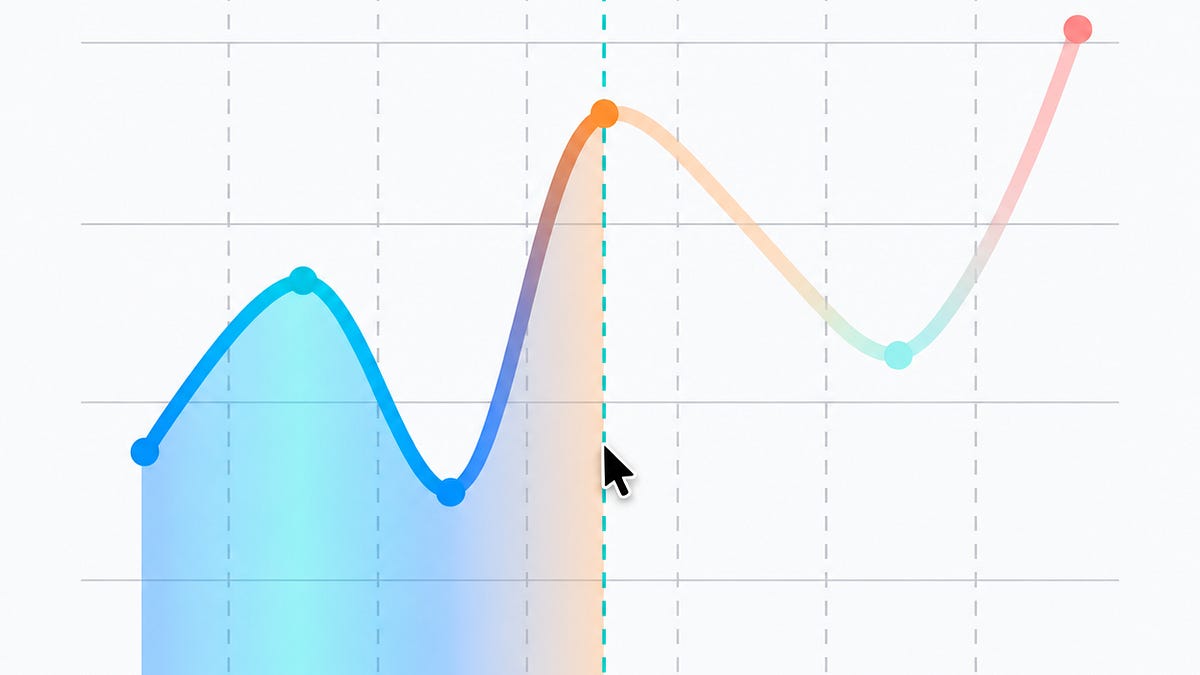
Quick Hits
Jordan Morgan's It's Over is an essay about going from dreading AI coding tools to enjoying the work again, and it'll start arguments on your team. Xu Yang's Fatbobman's Swift Weekly #155 argues the real Duo adaptation starts after launch, once people have hardware in hand. App Store Connect 3.3 and TestFlight 4.4.0 both added landscape on iPhone, and App Store Connect now invites internal testers much faster on large teams. And three more proposals are in review on the Swift Forums: SE-0551 adds a Span over a single value, SE-0550 proposes a @noSanitize attribute, and SE-0549 gives SwiftPM a persistent HTTP proxy config.
What to Do This Week
Update test devices to iOS 27.0.1 and install Xcode 27.2 beta 2. If you use the Xcode MCP server, point your agent at GetCodeCoverage after its next test run. Leave Duo accessibility testing until a later beta, since VoiceOver can't read the Duo in Device Hub yet.
Add appEntityIdentifier to the rows and detail screens people would most likely ask Siri about. Search your code for withTaskCancellationShield and make sure every call is behind an iOS 27 availability check if you still support 26. And if you built a custom tab bar, start on its vertical version now, because the system won't do it for you before October 23.
✌️ Alright, that's it for today! Let's spread the good code vibes ✨🧘☀️
Thank you to Runway for sponsoring this issue!
Member discussion