Issue #94: CocoaPods closes next week, Siri can call your intents, and prices move December 3
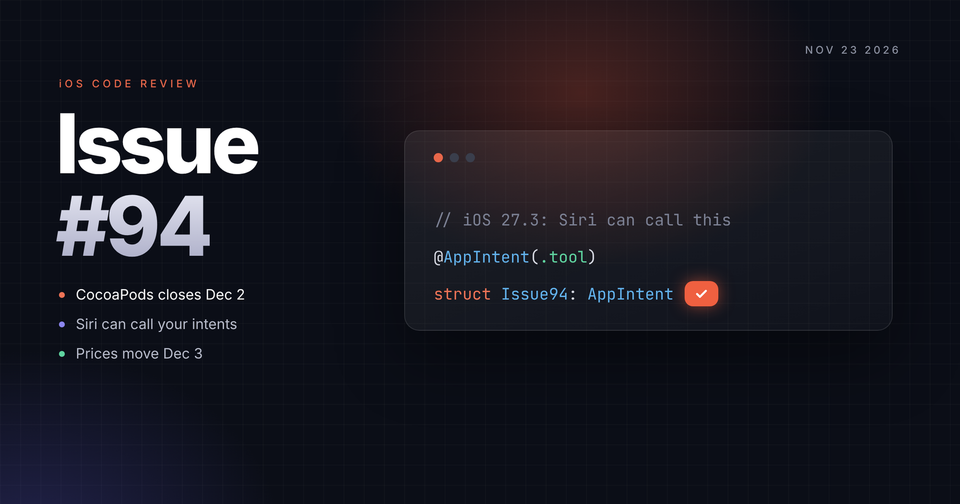
It's been a few weeks, so this one catches up. The thing with a hard date is CocoaPods: trunk stops taking new pods and versions on December 2, nine days from now. The thing with the biggest upside is the Siri AI Developer Preview, which lets Siri call any intent you mark as a tool. In between: price and tax changes landing December 3, a warning about EU trader status, two age rating questions due January 12, Xcode moving off .xip, and a cleaner way to think about scroll effects in SwiftUI. 📦🗣️
CocoaPods Trunk Goes Read-Only on December 2
The date has held: "the CocoaPods project will stop accepting new pods and pod versions on December 2nd, 2026." Orta Therox announced the plan two years ago, and pod owners have been getting email warnings since.
What it means:
- Your existing builds keep working. The Specs repo and CDN stay up, so
pod installagainst versions that already exist still resolves. - Nothing new comes through trunk. No security fixes, no iOS 27 fixes, no new versions of anything published there.
- Private specs repos and vendored code aren't affected.
Nothing breaks on December 3. The trouble comes next spring, when an SDK you depend on has a bug and the fix only ships through Swift Package Manager. Your Podfile.lock already lists everything you resolve:
# Print each top-level pod and version you currently resolve
sed -n '/^PODS:/,/^DEPENDENCIES:/p' Podfile.lock | grep -E '^  - ' | sed 's/^  - //'
Check each one for SwiftPM support. Anything without it is code you'll maintain yourself or something to replace. Move the easy ones this week, while you can still push a pod update if the migration goes wrong.
What's new in Swift: November 2026 Edition The CocoaPods trunk cutoff, newly accepted proposals, and package releases. Swift.org · Dave Verwer and Dave Lester
 Apple Inc.

Siri AI Developer Preview: Make Your Intents Tools (iOS 27.3 beta)
Until the 27.3 betas, Siri AI could only act on apps that fit one of Apple's schemas. Now any intent you mark as a tool is something Siri can find and call. The opt-in is one annotation, with no entitlement and no separate program:
@AppIntent(.tool)
struct AddToCart: AppIntent {
    static let title: LocalizedStringResource = "Add to Cart"
    static let description = IntentDescription(
        LocalizedStringResource("Adds a product to the shopping cart.")
    )

    @Parameter(title: "Item", description: LocalizedStringResource("The product to add"))
    var item: ProductEntity

    @Parameter(title: "Quantity", description: LocalizedStringResource("How many to add"), default: 1)
    var quantity: Int

    func perform() async throws -> some IntentResult {
        try await Cart.shared.add(item, quantity: quantity)
        return .result()
    }
}
Siri chooses between tools by reading the titles and descriptions of the intent and every parameter, so treat those strings like API. Three more things to get right:
Lock down what Siri can say out loud. Entities don't require authentication by default, so Siri can read a property aloud on a locked phone. Set an authenticationPolicy on anything sensitive, and use visibility: .internal for properties only your app should see:
@Property(
    title: "Balance",
    description: "The current balance, including pending transactions.",
    authenticationPolicy: .requiresLocalDeviceAuthentication
)
var balance: IntentCurrencyAmount

@Property(title: "Routing Number", visibility: .internal)
var routingNumber: String
There's a known issue in the beta where Siri "might not request an unlock" before showing those entities, so test on a locked device.
Index your entities. Siri finds them through Spotlight. If they aren't indexed, Siri can't match them to a request.
Use skills for multi-step requests. A Skills.skillsbundle holds one SKILL.md per skill: a name matching the folder, a one-line description under 1,024 characters, and a body under 10,000 with plain-language guidance. Siri treats skills as hints and "doesn't sequentially perform the tool intents that your skill lists," so don't rely on them to enforce an order.
The catch: only development builds and internal TestFlight get it. App Store submission opens in the spring, and the preview isn't available in the EU on iOS, iPadOS, or watchOS.
Bringing custom actions and content to Siri Turn custom app intents into tools Siri can call, and help Siri understand your app entities. Apple Developer Documentation


App Store: Prices Change December 3, and Watch Your EU Trader Status
Apple posted tax and price updates on November 17. Prices on the Botswana, Colombia, Egypt, Rwanda, and Türkiye storefronts change on December 3, unless one of them is your base storefront. Auto-renewable subscriptions and manually managed prices aren't touched. The upcoming prices already show in Pricing and Availability.
Also new there: a "Software as a Service (SaaS)" tax attribute for App Store Software, Software Training Material, Dating, and Boosting. That matters from January 1, 2027, when those categories become subject to California sales and use tax. US prices are shown without tax, so your proceeds don't change, but what customers pay at checkout may go up. Open Pricing and Availability for each app and confirm the category is right.
And a warning before you touch anything else in that part of App Store Connect. Michael Tsai passed along a developer's report that updating EU trader information put his apps back "In Review" and pulled them from every EU storefront, with forum reports of that review taking up to two months. That's one developer's account, and Apple hasn't said anything. Still, if your trader details are correct, leave them alone, and if you must change them, don't do it before a launch or a holiday sale.
On subscriptions: since November 4 you can show a retention message, with text, an image, or a special offer, in the system cancellation screen. Set it up in App Store Connect. If your dashboards pull the INSTALLS report from Sales and Trends, it's deprecated and Apple stopped generating new ones the same day, so those numbers have been stale for three weeks.
Tax and price updates for apps, In-App Purchases, and subscriptions New taxes in four countries, a SaaS tax attribute, California from January 1, and December 3 price changes. Apple Developer News
EU Trader Status PSA Updating trader info sent apps back into review and off EU storefronts. Michael Tsai - Blog
 Michael J. Tsai


App Store Connect: Two New Age Rating Questions, Due January 12
The questionnaire gained two declarations on November 16. You answer them on your next update, and every app needs them done by January 12, 2027:
- Shared Location: "Sharing of real-world location with another person or group."
- Dating and Relationships: features for dating between real people, or "a virtual companion that engages a user in sexual or romantic content."
Dating and Relationships means 18+. That second half catches apps that added an AI chat character, even if the rest of the app is a to-do list. Shared Location may not change your rating in most regions, but Brazil requires A16 for it, which hits family locators and fitness apps with live tracking.
Upcoming: New age rating content descriptors in App Store Connect Shared Location and Dating and Relationships, required for all apps by January 12, 2027. Apple Developer News

Xcode 27.3 Beta: Goodbye .xip, Hello UI Tests in Swift Testing (Xcode 27.3 beta 2)
The line most likely to break your CI: Xcode now ships as an Apple Encrypted Archive, and "Xcode 27.3 is the final release supporting the .xip format." If your images, provisioning scripts, or tools like xcodes unpack .xip, they need updating before the release after 27.3. Apple's extractor:
archiveutil extractXcodeAEA Xcode_27.3_beta_2.aeaThe good parts. You can write UI tests with Swift Testing and XCUIAutomation, so a separate XCTest target kept only for UI tests can start moving over. XCUIHinge sets the Duo's hinge angle from a test. And xctrace triage "generates a report of the hangs in your trace," which means a CI job can read a profile without opening Instruments:
xcrun xctrace record --template 'Time Profiler' --output MyRecording.trace --launch -- MyApp.app
xcrun xctrace triage MyRecording.trace
The View Body and View Properties instruments are gone. Use the SwiftUI instrument instead.
Xcode 27.3 Beta Release Notes The .aea format, Swift Testing UI tests, XCUIHinge, and xctrace triage. Apple Developer Documentation


macOS 27.3: Full Disk Access Goes Per-Folder (macOS 27.3 beta 2)
If you ship a Mac app that reads other apps' data, this one's for you. In 27.3, users can grant Full Disk Access to specific folders instead of the whole disk, and can set an app to ask every time. Existing grants stay, so the work is for new installs. Apple's instruction is to "gracefully handle having access to only a limited set of folders or apps."
In practice: check each path you need instead of treating one readable folder as full access, tell the user which folder is missing when a read fails, and rewrite onboarding that says "turn on Full Disk Access" as one step. Backup and assistive apps can get an entitlement for the old behavior, but Apple hasn't named it yet. As Michael Tsai points out, there's still no API for an app to request specific folders.
Updates to Device Control and Data Access, and Full Disk Access in macOS The new permission settings in macOS 27.3 beta 2, and what to change. Apple Developer News


SwiftUI: Pick the Narrowest Scroll API (iOS 17+ / iOS 18+)
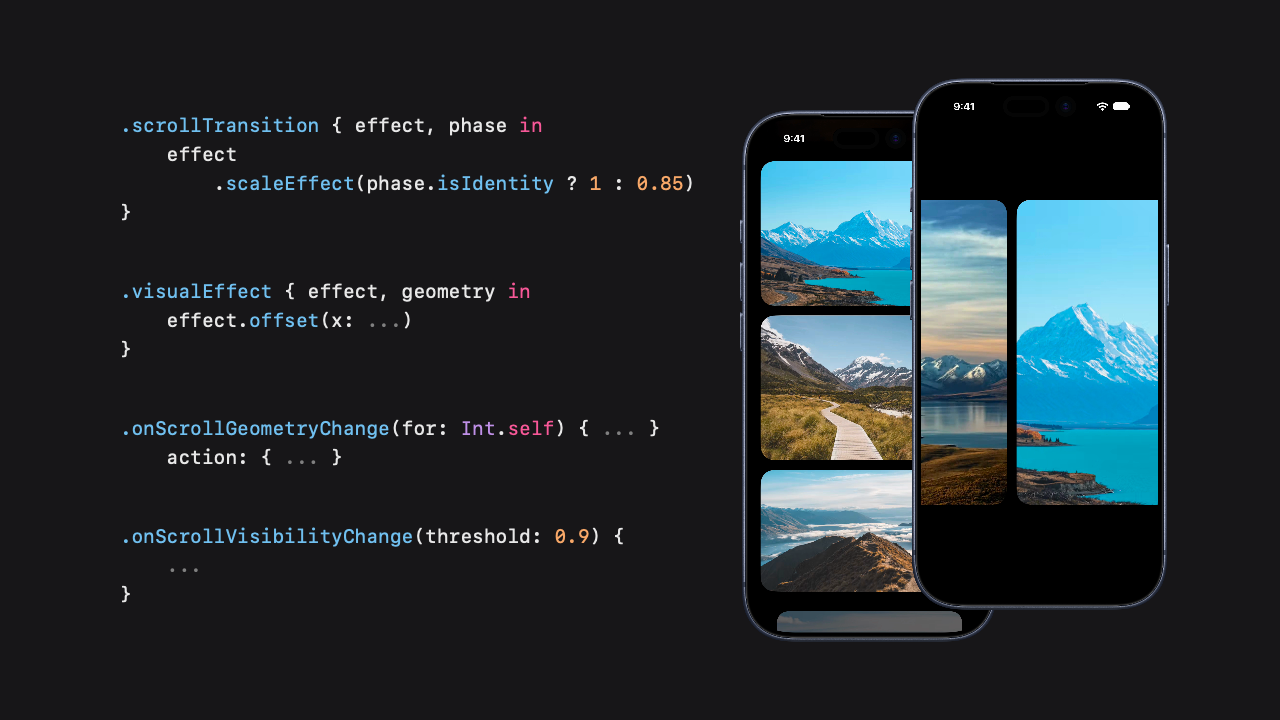
Natalia Panferova sorted SwiftUI's scroll-driven APIs by how much work they cost. scrollTransition() and visualEffect() change only the view they're attached to and never touch layout, so they're the cheap option for per-item effects:
ForEach(photos) { photo in
    PhotoCard(photo)
        .scrollTransition { content, phase in
            content
                .scaleEffect(phase.isIdentity ? 1 : 0.85)
                .opacity(phase.isIdentity ? 1 : 0.4)
        }
}
onScrollGeometryChange() and onScrollVisibilityChange() update state, which can drive anything on screen but re-renders whenever the value changes. Her advice is to reduce the geometry to the smallest value you need. Here's what that looks like for a header that collapses (our example):
.onScrollGeometryChange(for: Bool.self) { geometry in
    geometry.contentOffset.y > 120
} action: { _, isPastHeader in
    showsCompactTitle = isPastHeader
}
Because the closure returns a Bool, the action only runs when the scroll crosses 120 points. In her words, "the narrowest one that covers it usually does the least work during scrolling."
Scroll-driven effects in SwiftUI: phases, geometry and scroll state Which scroll API to use, and what each one costs. Nil Coalescing · Natalia Panferova
 Natalia Panferova
Quick Hits
If your CI or build scripts use curl, git, or Python on macOS, they didn't get Apple's block of the compromised eMudhra certificates, so update them from Homebrew. Logger.isEnabled(type:) is marked available since macOS 11 but crashes at launch on macOS 15.6.1; call isEnabled(type:) on the OSLog you create the logger from instead. Karolina Samorek's list of what broke on iPhone Duo is the best Duo checklist so far. App Store Connect will stop accepting On-Demand Resources from new apps in early 2027, so plan on Background Assets. Apple's touch tech talks and TN3216 are worth watching if you maintain mouseDown(with:) code. Apple's November 17 outage was an internal update, and notarization stayed down for hours after, so don't plan a release around a single notarization window. SE-0564 Split Continuations was accepted, and SE-0568 Task cancellation scopes is in review. The Swift Student Challenge 2027 runs February 8 to 28.
What to Do This Week
- Run the
Podfile.lockcommand and migrate at least one pod to SwiftPM before December 2. - Open Pricing and Availability for each app: check the December 3 prices and set the SaaS tax attribute if it applies.
- Add
@AppIntent(.tool)to the intent your users run most, then set anauthenticationPolicyon any entity Siri shouldn't read on a locked phone. - Put the two age rating questions on your next release checklist. The deadline is January 12.
- Search your CI scripts for
.xip. - Swap one
onScrollGeometryChangethat returns a raw offset for one that returns aBool.
✌️ Alright, that's it for today! Let's spread the good code vibes ✨🧘☀️
Member discussion