Issue #82: Why Your Views Re-Run, Deadlines in Review, SwiftData Behind a Wall
Hey folks 👋
The beta season lull has a nice side effect: once everyone has finished listing what's new, the community goes back to the quiet stuff that actually makes apps feel fast. This edition is full of it. Why does a view re-run when nothing it reads has changed? Where should persistence stop and your feature begin? How long should an async call be allowed to take before someone pulls the plug? Plus an App Store form that quietly redefines what counts as a social app.
Xcode 27 and iOS 27 are still in beta, so treat everything below as beta behavior until the fall. 🧘
SwiftUI: Your @Entry default may be reallocating on every access
Store a class in an @Entry default and every fallback access runs the initializer again. New reference, new identity, and SwiftUI decides the environment value changed.
extension EnvironmentValues {
    @Entry var logger = AppLogger() // ⚠️ new instance on every access
}
Xcode 27 now warns about it:
Storing a class type in '@Entry var logger' may invalidate dependents on every update because the default value is reallocated on every access. Initialize the default value elsewhere and reference it from the '@Entry' declaration.
The cost is real. Any view that reads \.logger without an injected value gets re-evaluated whenever an unrelated environment value changes further up the tree. Fix it by moving the instance into stable storage, or drop the fallback entirely and make the value optional so a missing injection is a loud configuration error instead of a silent one.
private let defaultLogger = AppLogger()

extension EnvironmentValues {
    @Entry var logger = defaultLogger
}
The warning only fires for class types, but the same trap applies to Date(), UUID(), and any struct that wraps a freshly allocated reference.
The hidden cost of unstable SwiftUI environment defaults Why Xcode 27 warns when an @Entry default allocates a new class instance, and how to provide a stable default instead.
 Natalia Panferova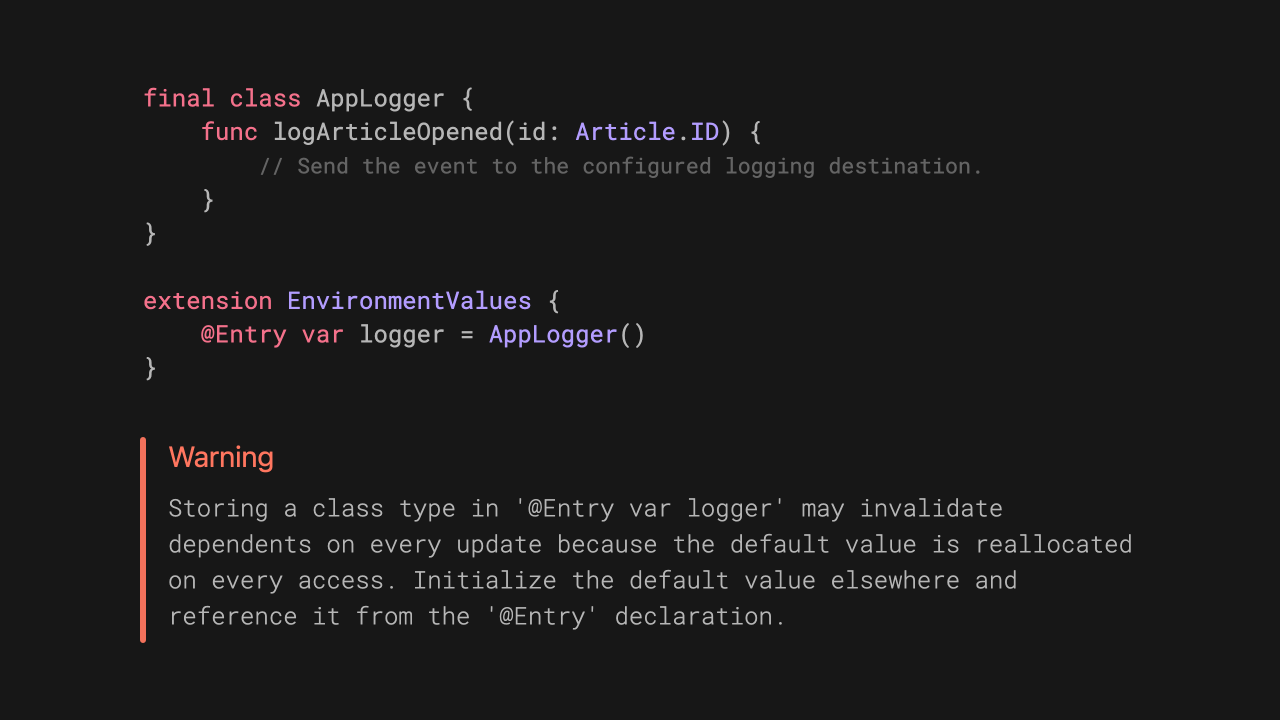
SwiftUI: Binding(get:set:) in a body is a re-render tax
Closure bindings created inline get rebuilt on every body evaluation. Fresh closures, fresh heap allocations, and nothing SwiftUI can meaningfully compare. Edit an unrelated text field in the same view and the rows can re-evaluate anyway.
Move the read and write logic into a labeled subscript on the model and pass the projection instead:
@Observable
final class TeamPermissionsModel {
    var grantedPermissionIDs: Set<Permission.ID> = []
    var teamName = ""

    subscript(isGranted permissionID: Permission.ID) -> Bool {
        get { grantedPermissionIDs.contains(permissionID) }
        set {
            if newValue {
                grantedPermissionIDs.insert(permissionID)
            } else {
                grantedPermissionIDs.remove(permissionID)
            }
        }
    }
}

// In the body:
PermissionRow(
    permission: permission,
    isGranted: $model[isGranted: permission.id]
)
Now the row only re-evaluates when grantedPermissionIDs actually changes. Hiding the Binding(get:set:) call inside a model helper does not fix anything, by the way. What matters is whether the binding is a new pair of closures or a stable projection.
Custom bindings in SwiftUI: closures vs subscripts How closure-based bindings affect view updates, and how labeled subscripts give SwiftUI a stable dependency to track.
 Natalia Panferova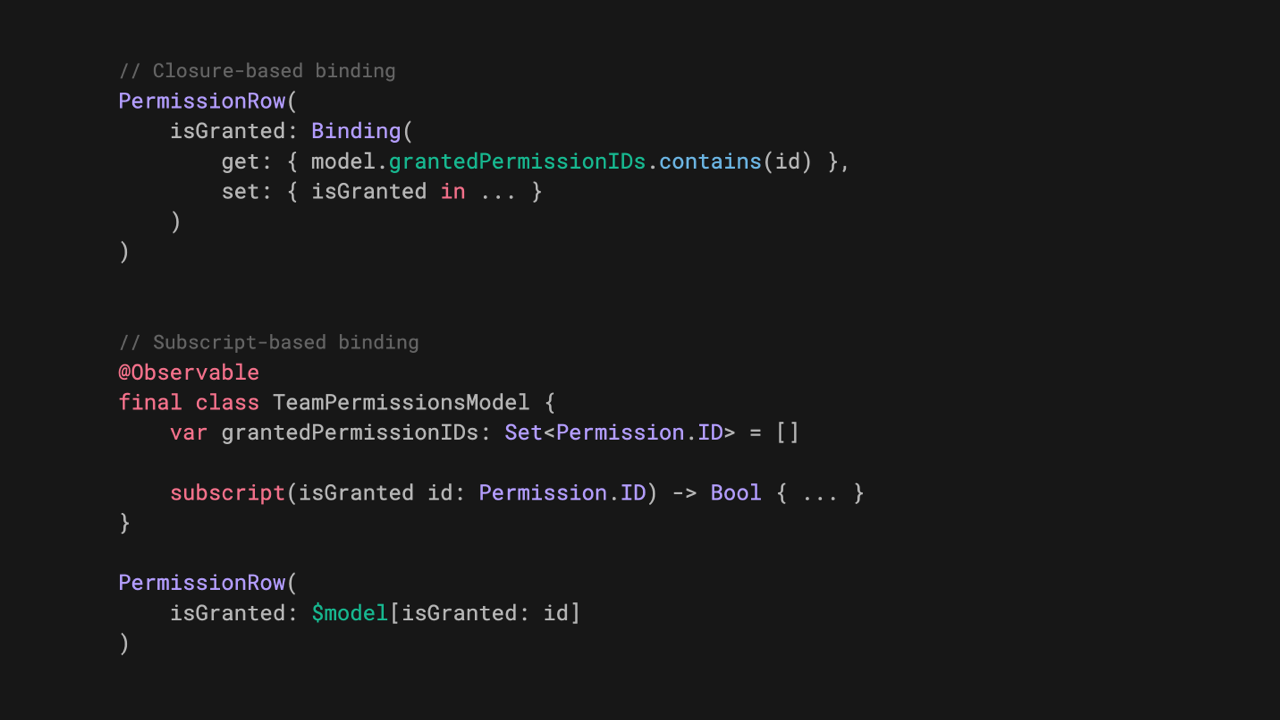
SwiftUI: Add Equatable, skip the invalidation
The @Observable macro generates two overloads of shouldNotifyObservers. The unconstrained one always returns true. The Equatable one compares the values. If your custom type does not conform, every assignment counts as a mutation, even when nothing in it changed.
struct DeliveryProgress: Equatable { // without Equatable, every assignment invalidates
    var completedStops: Int
    var totalStops: Int
}

@MainActor
@Observable
final class DeliveryModel {
    var progress: DeliveryProgress
}
This bites hardest when a model is fed by polling, an async sequence, or a framework callback that keeps handing you the same value. Arrays inherit the behavior, so [DeliveryStop] gets element-wise comparison once DeliveryStop is Equatable. In-place mutations like append() still notify, since they go through the modify accessor.
Equatable properties in @Observable classes Prevent unnecessary SwiftUI view updates by making custom types stored in @Observable properties conform to Equatable.
 Natalia Panferova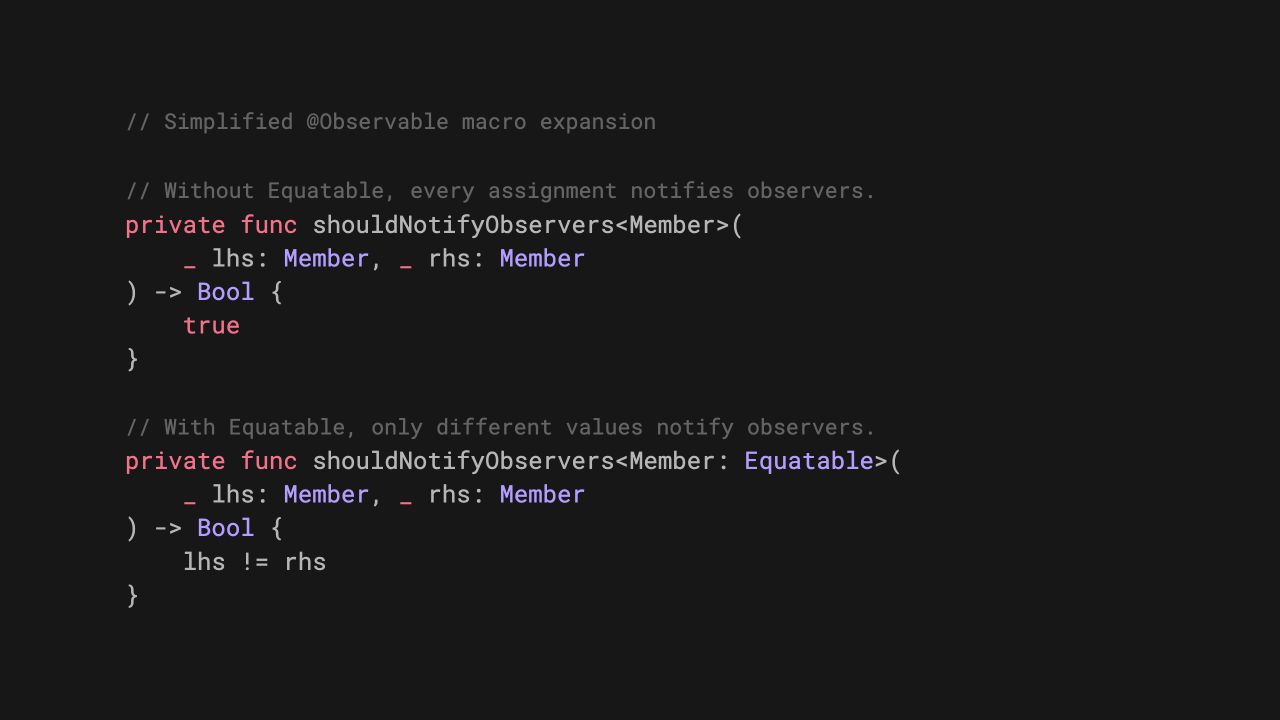
Swift Evolution: withDeadline returned for revision again
SE-0526 has now been through two reviews and come back for revision both times. Worth watching anyway, because it is the shape timeouts will eventually take: an absolute instant instead of a duration, so nested calls stop leaking budget as the deadline gets passed down the stack.
let clock = ContinuousClock()
let deadline = clock.now.advanced(by: .seconds(10))

async let user = withDeadline(deadline, clock: clock) { try await fetchUser() }
async let prefs = withDeadline(deadline, clock: clock) { try await fetchPreferences() }

let (userData, prefsData) = try await (user, prefs)
Nested deadlines compose to the minimum without any clock conversion, and the operation closure is non-escaping and nonisolated(nonsending), so it can touch actor-isolated state. The part I did not expect: the proposal also gives CancellationError a reason.
public struct CancellationError: Error {
  @nonexhaustive
  public enum Reason {
    case taskCancelled
    case deadlineExpired
    case custom(String)
  }
}
That is arguably a bigger deal than the deadline itself. Since Swift 5.5, CancellationError has been an empty type, so "something got cancelled, good luck" was the whole error. Being able to tell a deadline expiry from a real Task.cancel() changes how you write recovery code.
SE-0526: withDeadline Run an async operation against a composable absolute deadline, with cancellation reasons attached to CancellationError.
 swiftlang
Architecture: Keep SwiftData out of your views
@Query plus modelContext in the view is great until you add validation, sync, previews, or tests. Natascha Fadeeva's version puts a repository between the two and, crucially, splits the persisted type from the value type the feature actually passes around.
@Model
final class PersistedItem {
    var id: UUID
    var timestamp: Date
}

struct Item: Identifiable, Equatable, Sendable {
    let id: UUID
    let timestamp: Date
}

@MainActor
protocol ItemRepository {
    func fetchItems() throws -> [Item]
    func addItem(timestamp: Date) throws
}
You pay for it with mapping code. You get back a Sendable value type that previews and tests can produce freely, plus a single place where fetch descriptors and saves live.
Keeping SwiftData behind a boundary Draw a line between the UI and the persistence layer with a small repository and a plain value type. tanaschita.com Natascha Fadeeva
If you want the other direction, Point-Free's episode 372 goes through what SwiftData gained this year using Apple's Trips sample: sectioning, Codable support, and observing changes outside the view.

App Store: the age rating form now asks if you are social media
Since July 9, the App Store Connect age rating questionnaire includes questions about social media capabilities, defined as the ability to redistribute, amplify, or interact with user-generated content through a social feed or similar discovery method. Answer yes and your app lands in the Social Media Time Allowance category, picks up a Social Media content descriptor on its product page, and gets a minimum 13+ rating. Category does not matter, capability does. If the feature is disabled for anyone under 13, you stay out of the category for those users.
You can answer now. From September 2026 the answers are required for any new app or update, and for notarization for alternative distribution.
Age rating questionnaire now includes social media questions The questionnaire now feeds the new Time Allowances parental controls in iOS 27, iPadOS 27, and macOS 27. Apple Developer News


Quick Hits
- The first iOS 27 public beta shipped on July 13, identical to developer beta 3 (build 24A5380h), which landed July 6. App Store Connect accepts TestFlight builds made with the Xcode 27 betas, but Xcode 27 itself is still beta, with the stable release expected in the fall.
- Swift.org's June digest went up on July 2 and is worth ten minutes: parts of the OS kernel are being written in Swift, the QUIC transport layer was rewritten in Swift and open sourced, and Swift 6.4 is previewing up to 4x faster URL parsing plus async code in
deferblocks. - Also in that digest: SE-0474 (yielding accessors) was accepted, and SE-0529 (
FilePathin the standard library) and SE-0527 (RigidArrayandUniqueArray) were accepted with modifications. - Swift Package Index joined Apple and stays open source, with a package registry as the stated goal.
- Point-Free's episode 371 makes the case that UIKit is far from dead, wiring state-driven navigation and transactions into a UIKit feature with UIKitNavigation.
- Fatbobman's debugging notes on two SwiftUI animation bugs is the kind of post you bookmark before you need it.
- If
Sendablestill feels like a compiler mood rather than a rule, Natascha Fadeeva's Understanding Sendable in Swift is a clean explanation. AsyncImagefinally takes aURLRequestin iOS 27, so authenticated images, cache policies, and timeouts no longer require your own loader. There is anasyncImageURLSession(_:)modifier for a shared session too.
That's it for this one. Half of these posts are really the same lesson: SwiftUI can only skip work it can prove is unnecessary, so give it something stable to compare. See you in two weeks!
Member discussion